From Local RAG Bot to a Cloud-Native Chatbot
How I moved a personal RAG chatbot to Cloud Run with PostgreSQL, session-aware retrieval, and Vertex AI.

A local RAG bot works until the laptop sleeps. Then the workflow disappears with it.
I started with a small chatbot connected to my personal notes. It worked well enough for experiments, but it was tied to one machine.
This article follows the move to a cloud-hosted version with persistent sessions, PostgreSQL, and managed Google Cloud services.
Why the local version stopped being enough
The original setup had a browser frontend and a Dockerized FastAPI backend. The backend searched an in-container vector index and passed the results to an LLM agent.
That was convenient while I was experimenting. It had three practical limits:
- It only worked while my machine was awake and online.
- Conversation history and agent state lived in process memory.
- Application logic, persistence, and operational details were mixed together.
For this project, “production-grade” means something modest. The system should survive restarts, keep its data outside the process, and make failures visible somewhere other than a local terminal.
The architecture at a glance
Once I treated the chatbot as a service instead of a script, the architecture became easier to reason about.
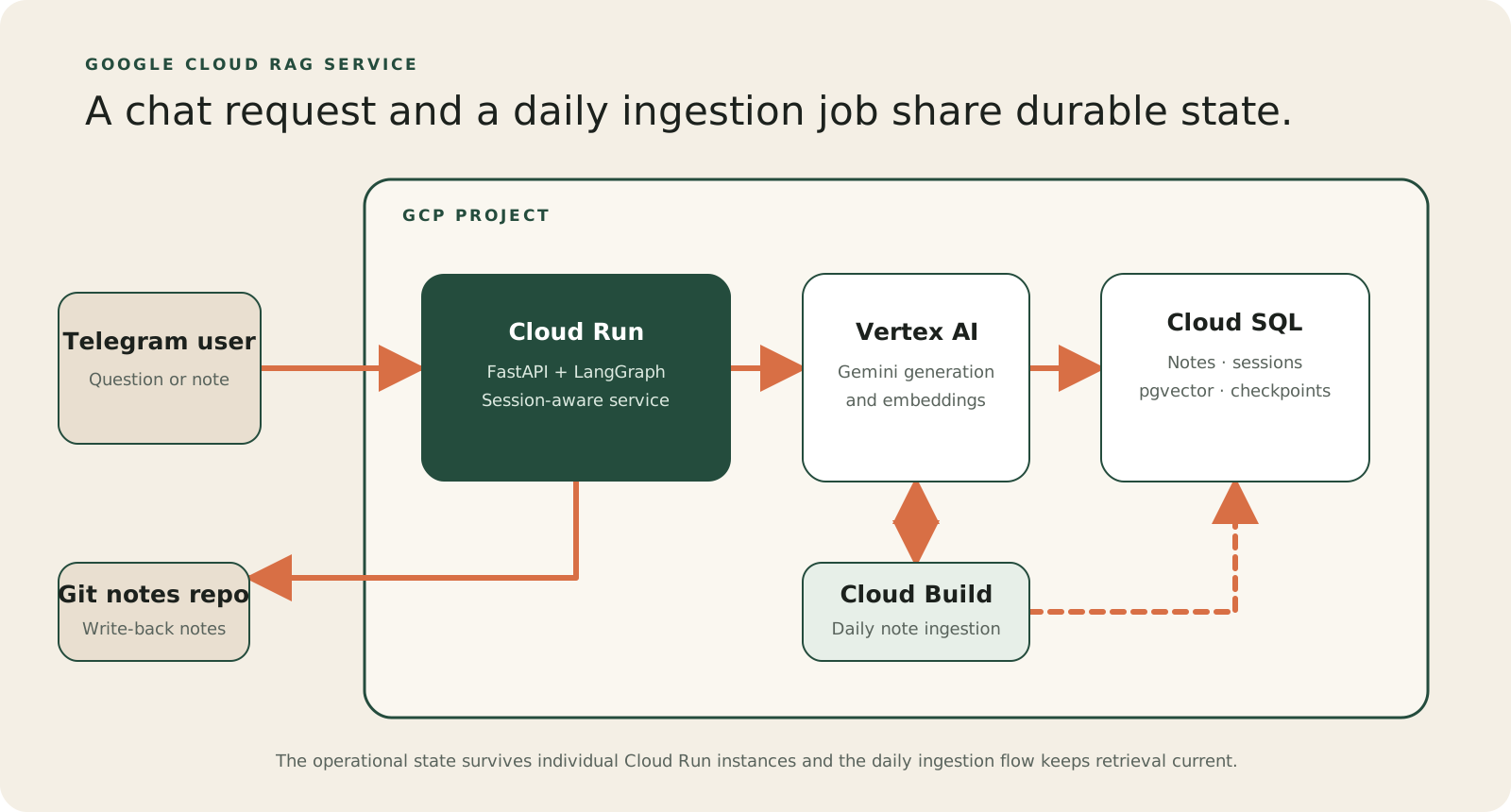
The main pieces are:
- Cloud Run hosts the FastAPI application and its
/webhookendpoint. - Cloud SQL PostgreSQL stores note chunks, embeddings, sessions, and LangGraph checkpoints.
- Vertex AI provides the Gemini models for generation and embeddings.
- The Git notes repository receives Markdown notes created by the assistant.
The goal is still to chat with my notes. The cloud version adds an operational system around the same knowledge base.
Reshaping the application
A real HTTP boundary
The first step was turning the private process into a web application. Requests now enter through FastAPI instead of a bespoke event loop.
FastAPI and Pydantic give the application a typed boundary, generated documentation, and a natural place for health checks. Longer work is handled separately so the request path can return cleanly.
Persistent conversation state
The local bot already used LangGraph, but the running Python process held much of its state. That does not work when requests can reach different Cloud Run instances.
I introduced a typed agent state for message history and tool outputs. A PostgreSQL-backed checkpointer lets a conversation resume after a restart or instance change.
The assistant can now remember previous turns, create titles for history views, and run tools such as create a new note without losing the conversation context.
Session-aware retrieval
Retrieval also changed. Each session maps to a current conversation thread in the session_owners table, and that thread determines which checkpoints and messages belong to the session.
The search first uses pgvector similarity to find candidate note chunks, then reranks those candidates by recency. Newer notes can therefore win when they are still relevant, while the assistant can still use older context from the same session.
How the Google Cloud services fit together
Cloud Run hosts the FastAPI application and scales the container based on incoming traffic. Each instance connects to Cloud SQL through the Cloud SQL connector and a dedicated service account.
Cloud SQL PostgreSQL, with the pgvector extension, stores both operational data and retrieval data: note chunks, embeddings, session metadata, and LangGraph checkpoints. Keeping these pieces together makes the first cloud version simpler to operate.
Vertex AI handles generation and embeddings. Gemini receives the retrieved notes and session context, while an embedding model turns new note content into vectors stored in PostgreSQL.
A scheduled Cloud Build job processes new notes daily. It embeds and ingests only new material, keeping the knowledge base fresh without rebuilding the entire vault each time.
What a real session looks like
To test the system, I asked about my German-learning plan. The relevant information was spread across notes about courses, time commitments, and costs.
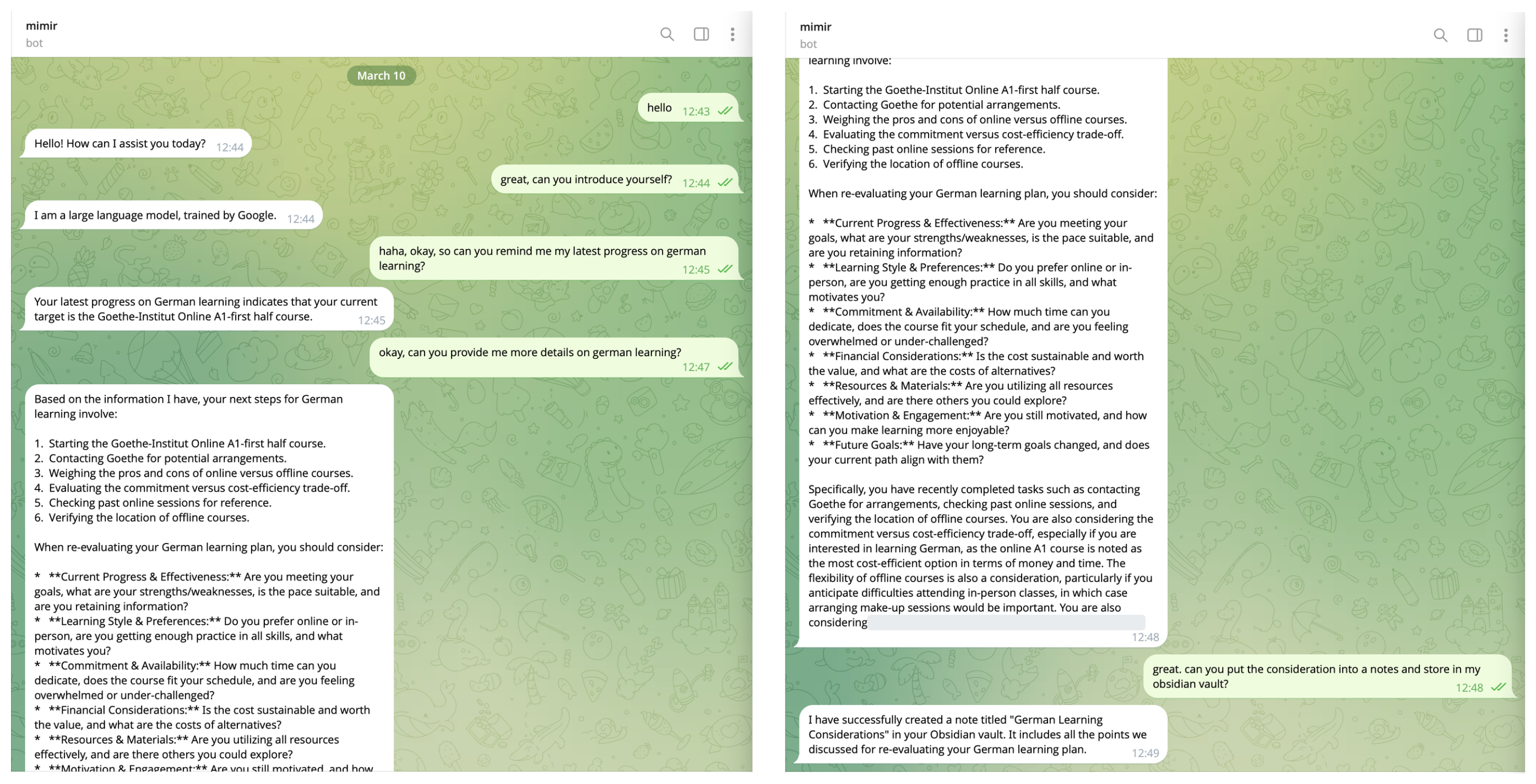 Telegram conversation with retrieval and note creation.
The agent retrieved the relevant chunks, summarized them, and called a tool that rendered a Markdown note and pushed it to the Git repository behind my Obsidian vault.
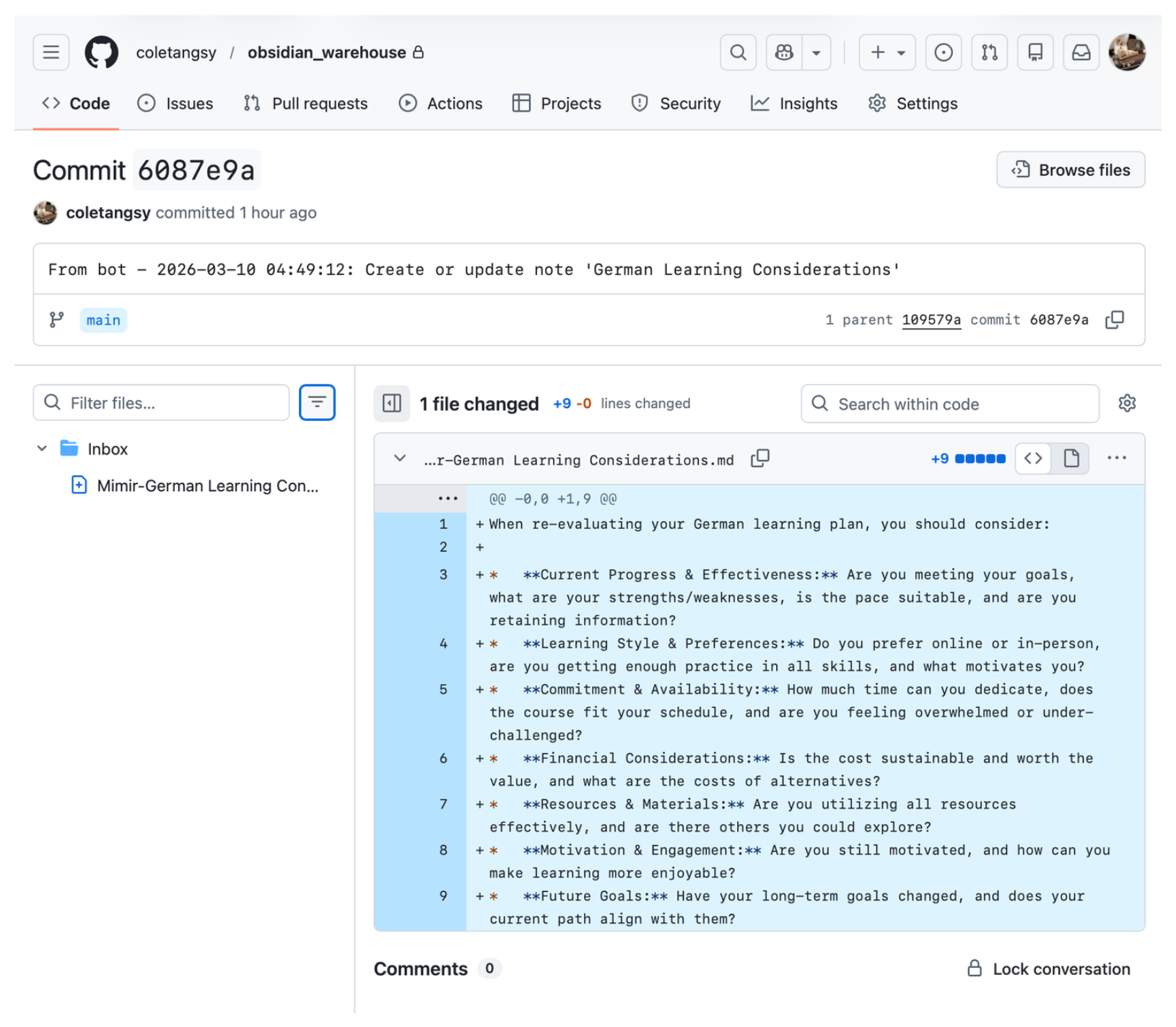 Bot-generated commit in the Obsidian Git repository.
This is the loop I wanted: use existing notes to ground a conversation, then turn the result back into structured knowledge.
What I would explore next
The next article in this series goes deeper into the PostgreSQL design: the session tables, retrieval query, and trade-offs of using one database for both application state and vector search.
Moving a RAG bot to the cloud means making state, persistence, and operational boundaries explicit. It is more than a deployment change.