A Modular Video Translation Pipeline with Whisper
I separated transcription, translation, and subtitle rendering to make a personal video translation pipeline easier to debug.

A personal K-pop translation project became a useful lesson in why AI pipelines benefit from clear boundaries.
I revisited a project that takes a Korean video, transcribes the audio, translates the text into Chinese, and burns subtitles into the final render.
The use case is recreational, but the engineering problem is familiar: should one general model handle everything, or should the pipeline use smaller specialists?
Why separate the pipeline?
It is tempting to upload a video to a multimodal model and ask for a finished translation. That can be convenient, but it makes failures difficult to locate.
If the result is wrong, did the system mishear the audio, misunderstand the translation, or render the subtitles incorrectly?
I separated the work into stages:
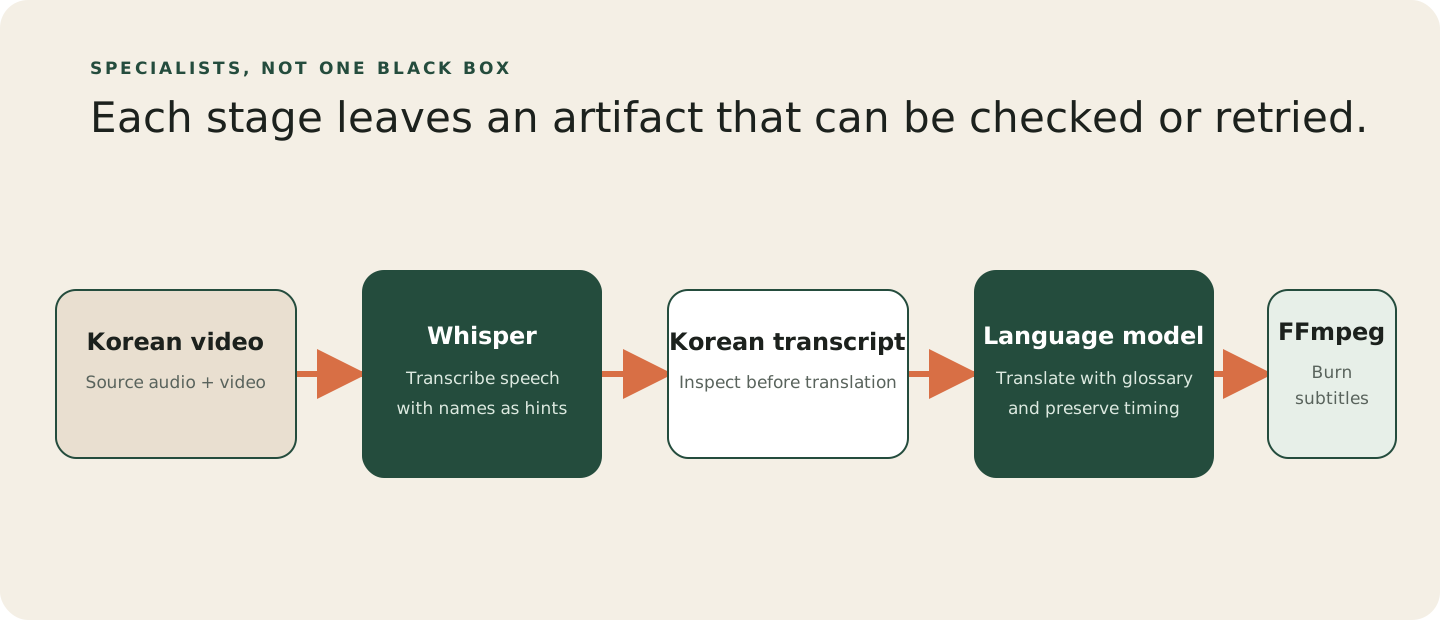
The raw transcript is an important intermediate artifact. I can inspect it before spending translation tokens, and I can retry one stage without processing the whole video again.
Whisper is not a chatbot
One detail I initially misunderstood was Whisper’s prompt or initial_prompt parameter. It is not a conversational system prompt.
Whisper uses the prompt as a guide for spelling and style. It cannot reliably follow instructions such as “format the result as Markdown” or “remove every filler word.”
For this project, I supplied a compact list of correct names and domain terms. That gave the transcription step a better chance of recognizing K-pop member names and album titles.
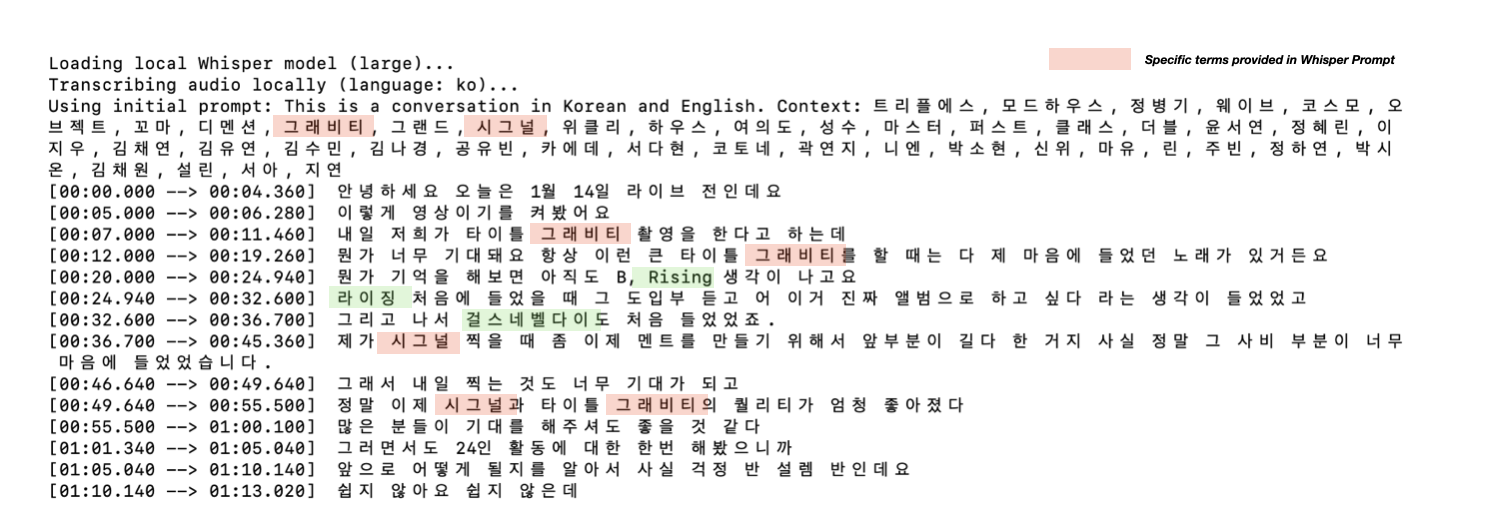 Using a prompt to guide names and domain terms.
Breaking the hallucination loop
Whisper sometimes repeated the same phrase instead of following the audio. The problem was a generation loop: an incorrect previous segment was being reused as context for the next segment.
Setting condition_on_previous_text to False made each segment start with less historical context. Coherence can decrease slightly, but in my case the repeated hallucinations disappeared.
The change was inspired by this Whisper discussion.
Translating long videos reliably
For translation, I used Gemini 2.5 Pro because a long video contains callbacks, tone changes, and running jokes that are easy to lose in isolated sentence-by-sentence calls.
Long structured output brings a different problem. One malformed JSON response can break the entire job.
I handled this with hierarchical batching:
- Try the full transcript first to preserve the most context.
- If the call fails or the JSON is malformed, split it into batches.
- If one batch still fails, split that batch into smaller pieces.
This gives the pipeline a fallback. It attempts the most coherent translation first, then reduces the scope until the job can finish.
Handling domain-specific terms
The translation model needs more than grammar. It also needs member names, album titles, and fandom-specific phrases.
Whisper’s prompt is too small for a full glossary, so I used a separate LLM pass to read reference documents and produce a compact keyword list.
That list is injected into the translation prompt. For a single video, this lightweight glossary was cheaper and easier to control than building a full vector search system.
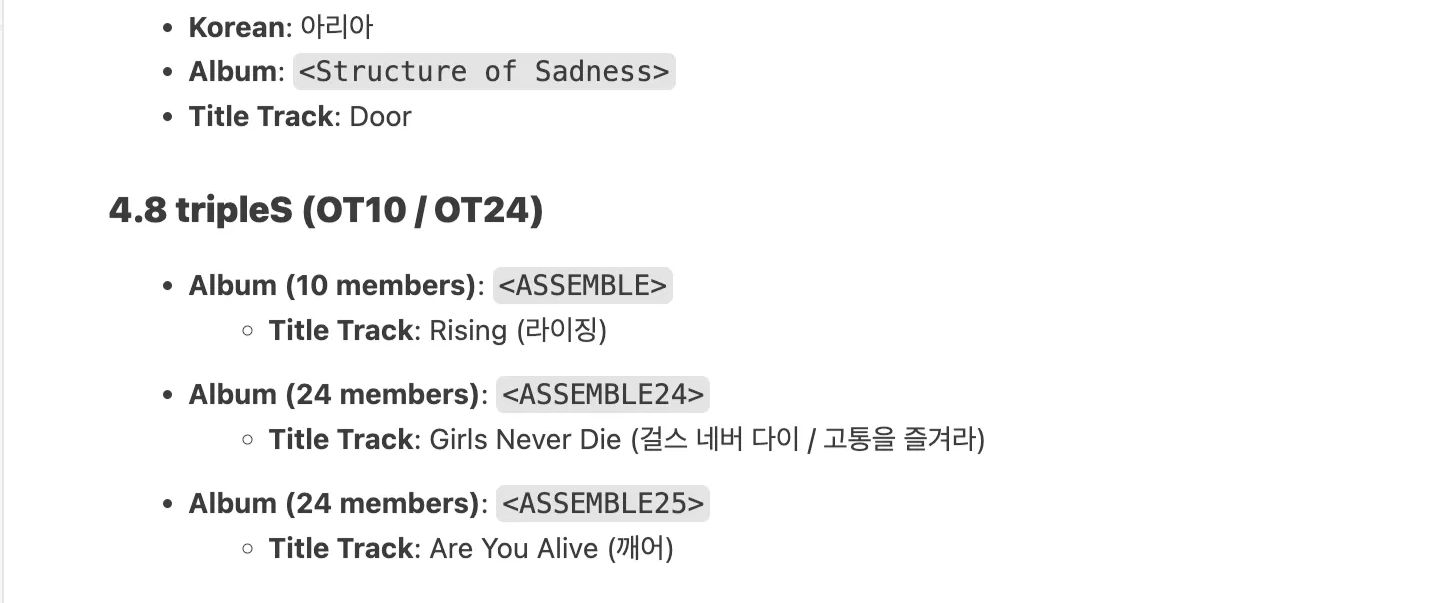 Reference material used for the glossary.
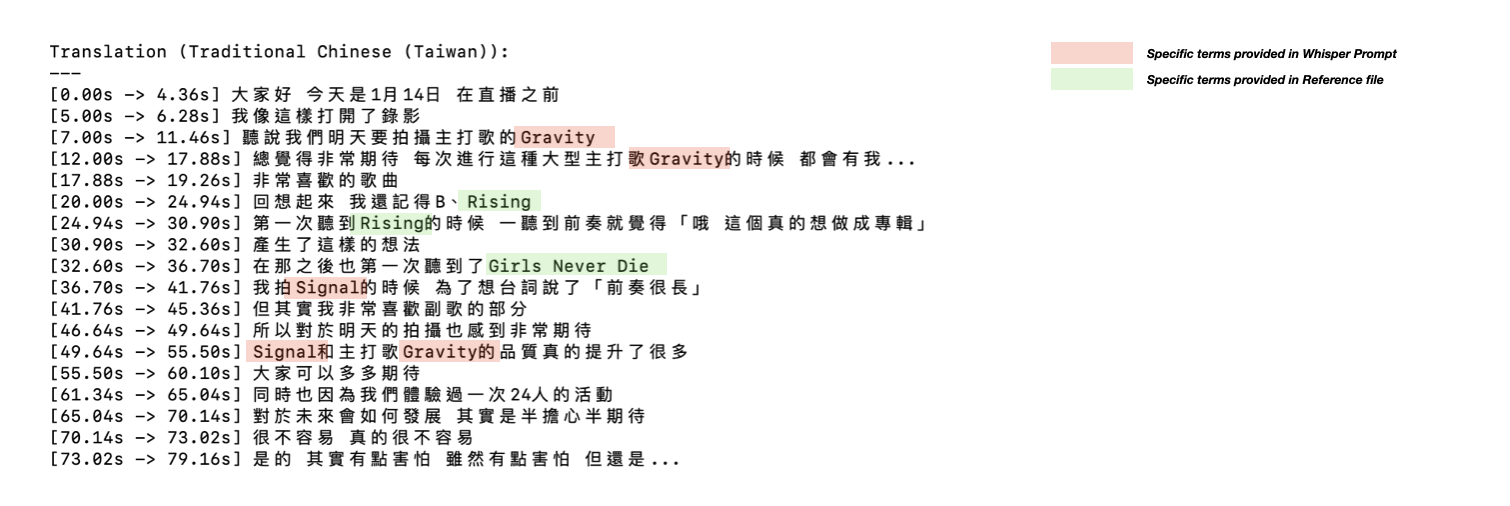 Checking terminology in the translated content.
The final result
The Whisper transcript, fallback batches, glossary, and subtitle renderer come together in the final video.
You can see a clip of the result. The useful checks are whether the timestamps follow the speech and whether the names and terms remain correct.
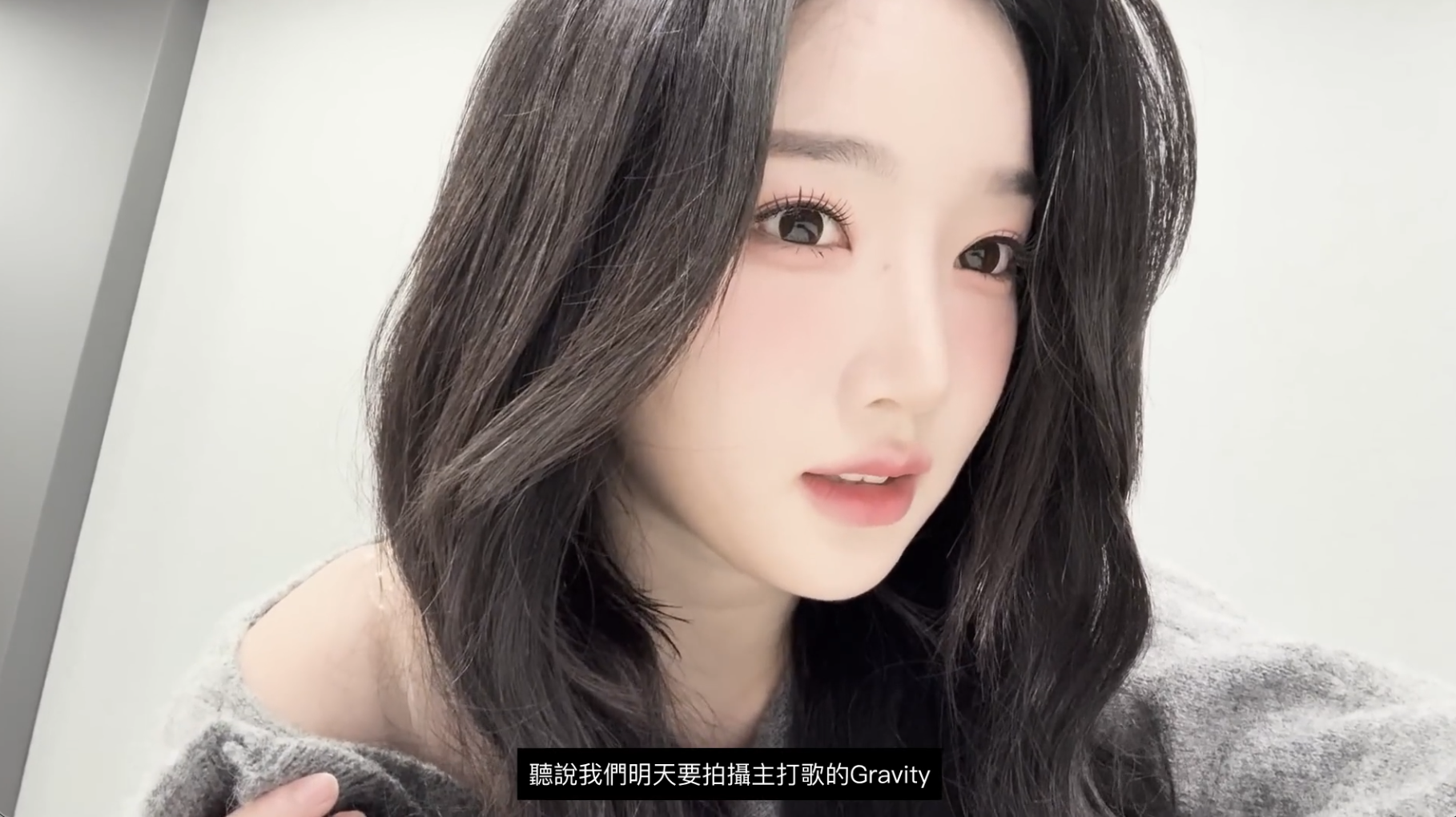 Final translated video preview.
Takeaway
The final render cost roughly $0.40 for a 50-minute video in this project. That is an observation from my setup, not a general price guarantee.
Keeping transcription, translation, and rendering separate lets me inspect failures, control costs, and improve one stage without rebuilding everything.